Micro-8

Micro-8 Studio / Code. Debug. Play.

Code for a real retro console

The Micro-8 is an 8-bit computer designed by Franck Sauer: a custom FPGA, a genuine Yamaha YM2612 sound chip, hardware sprites and tiles, and Lofi, its own C-like language, also created by Franck Sauer. Micro-8 Studio is the environment that targets it from a PC: an editor with live analysis, a debugger with breakpoints and step, and a test runner that follows its rules closely, to try a program before it reaches the real hardware.

Micro-8 Studio is not a new game engine or virtual console: it is the development IDE and toolbox for the real Micro-8 hardware.

Dedicated to the Micro-8, useful well beyond it. Its music tracker, image converter, sprite and tile editors and icon painter also work as development tools for other consoles and other projects: they write the formats other tools read, so one program replaces several.

Free to download, Windows, nothing else to install. Open an example, press Run, and the Micro-8 screen appears.

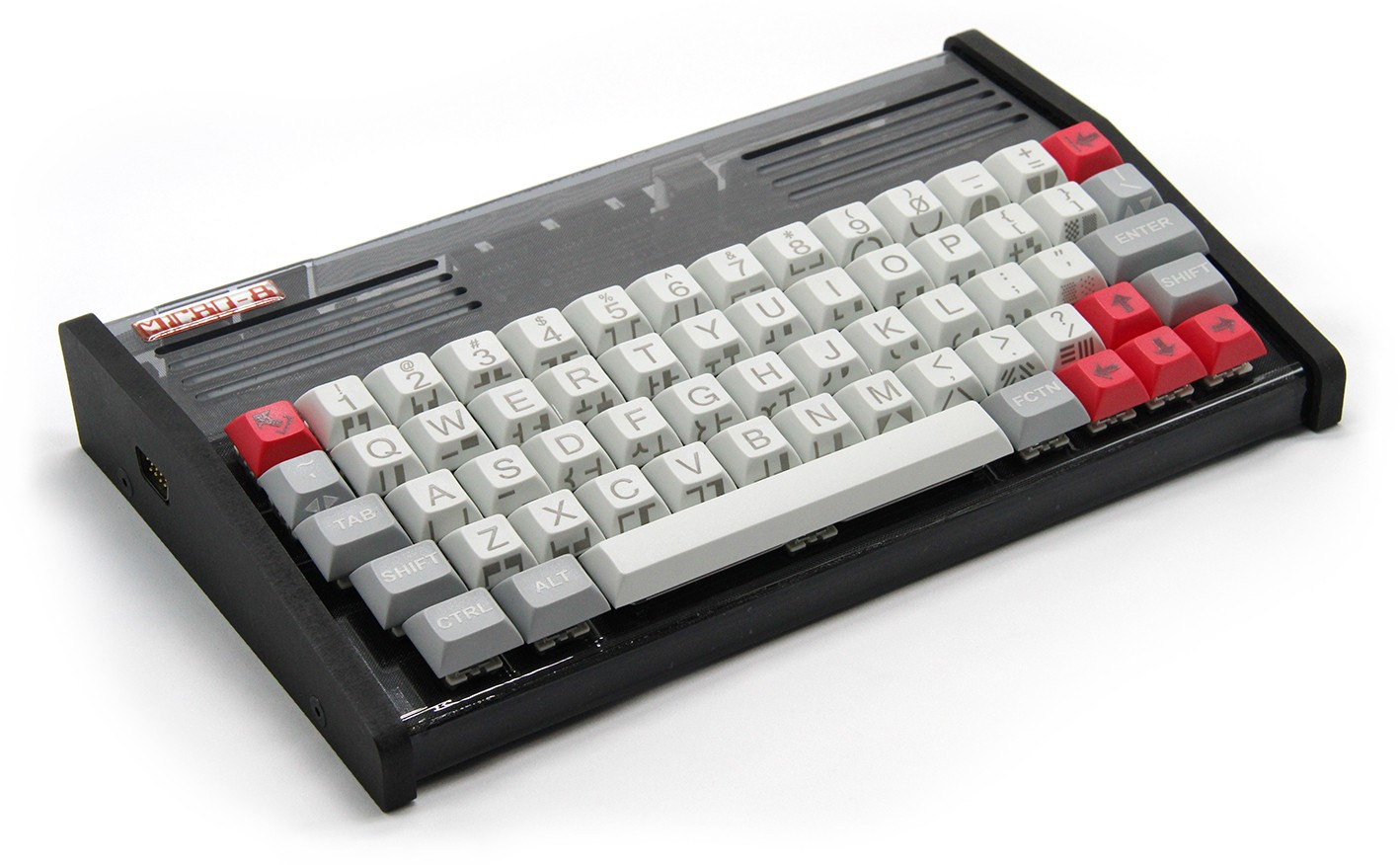
The Micro-8, a physical 8-bit retro computer designed by Franck Sauer
Micro-8, by Franck Sauer
01

Write, run, debug, compose

The same loop whether you are shaping a demo effect or a whole game: change the source, see it run in the test runner, and step through it the moment something looks wrong.

  1. WriteLofi, the small C-like language of the Micro-8, created by Franck Sauer, with completion, snippets and parameter help as you type.
  2. RunThe test runner follows the console's OS 0.9 rules closely: video, FM sound, the digital synth, tiles, sprites, raster effects.
  3. DebugBreakpoints, step, live variables and watches, on the test runner's screen.
  4. ComposeBuild music in the tracker, with the console's own FM instruments and Studio-only preview effects.
02

Learn by building two games

Two tutorials, written against the real tools and tested by robots that play the finished games. Both start from nothing, use every editor of Studio, and end with a project that ships with the program.

The finished projects are in Studio: Examples/OS/TUTORIAL and Examples/OS/BSMCODE/GRAVITY. New here? The guide installs Studio and runs a first program in five minutes.

03

One program, the whole toolchain

Everything needed to go from an idea to a running Micro-8 program is in the one download.

Editor and analyzer

Tabs, syntax colouring for Lofi, completion for your own functions and the whole API, parameter help, and a live analyzer that flags most compile errors before you run anything. The same editor opens Python, C, C++, assembly, JSON and text files, with their own colours.

Test runner

Text, bitmap, 16x16 tiles and 32 hardware sprites, raster interrupts for colour bars and split screens, mouse, gamepad and MIDI input, matching the real firmware's rules. Studio runs your Lofi program directly and does not produce a .BIN: the final compile is done by the console itself, from the exported source. A game you release comes from the real machine.

Debugger

Breakpoints, step into and over, a call stack, live variables and watches, and memory watchpoints that stop on the exact write that changed something.

Sound

A genuine Yamaha YM2612 (6-voice FM) emulation, exact to the chip when the Nuked-OPN2 core is available, plus the console's own 2-voice digital synth with its DPCM drum kit.

Tracker

An 8-track pattern tracker with the console's real FM instruments, song mode, and preview-only effects (arpeggio, retrigger, vibrato, tremolo, glide) to audition ideas before they are played by the hardware. A song also exports as WAV, WAV stems (one file a track), MIDI, note events (JSON, CSV) or a VGM of its FM tracks, with a guide to porting it to another system.

AI help, built in

An AI Assistant answers from the Micro-8 manual, explains the code you select or answers about it, and, with your OK each time, can work in Studio: read the code, write, compose, draw, run. Run a model of your own computer through llama.cpp, which Studio can start and configure for you, or use a remote service (Mistral, Claude) if you prefer.

No telemetry, all local

Micro-8 Studio sends nothing about you or your work: no account, no tracking, no update check. Everything stays on your computer, except when you choose a remote AI service yourself, Mistral (under the GDPR) or Claude: each question then sends the question, the manual sections found for it, the recent conversation and the code of the open file, and, with the Studio and Web boxes ticked (the default), what the assistant reads in Studio and the provider's web search. Writing in Studio always waits for your OK. With a local model (llama.cpp), nothing leaves your computer.

Asset tools

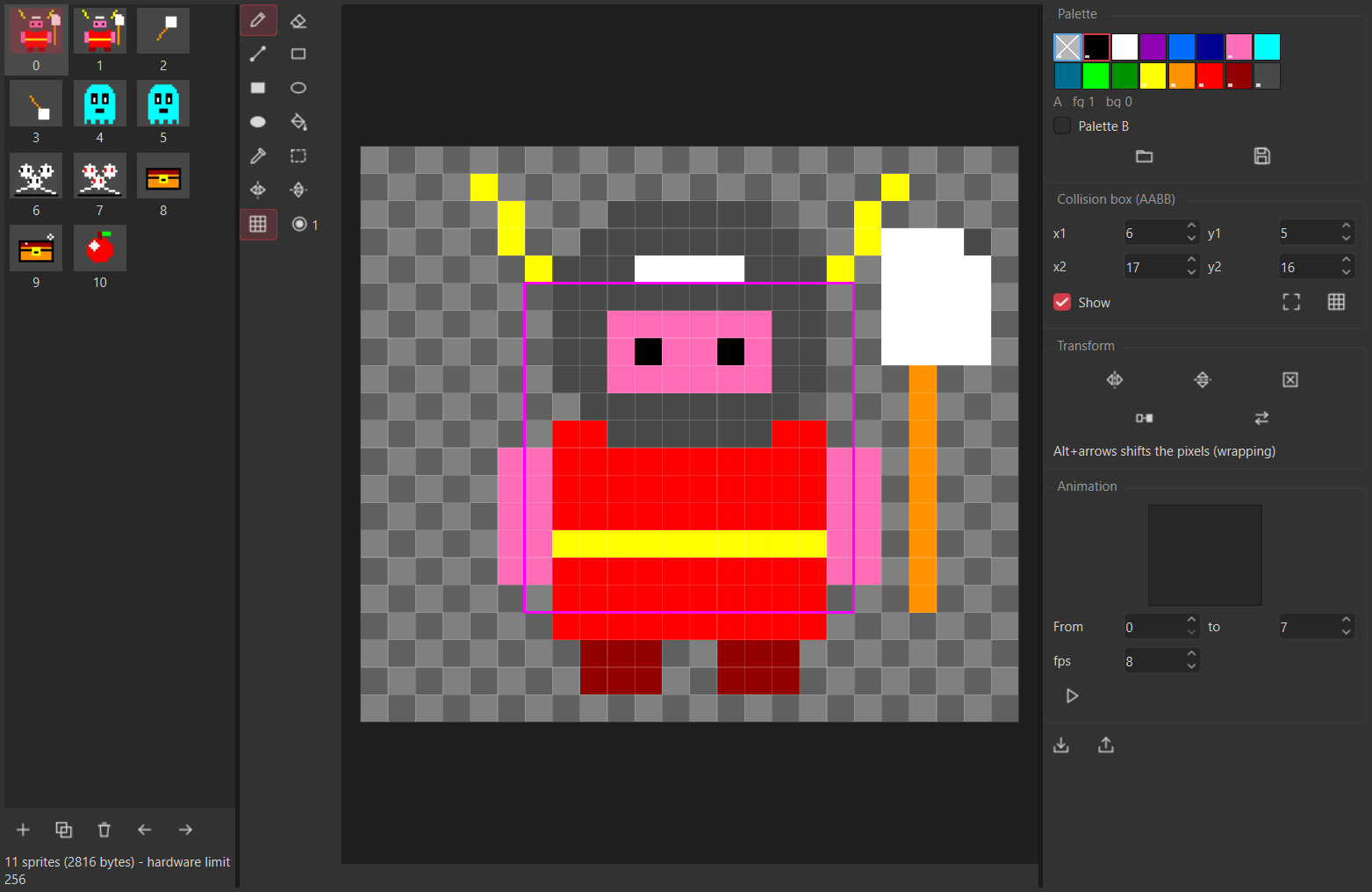
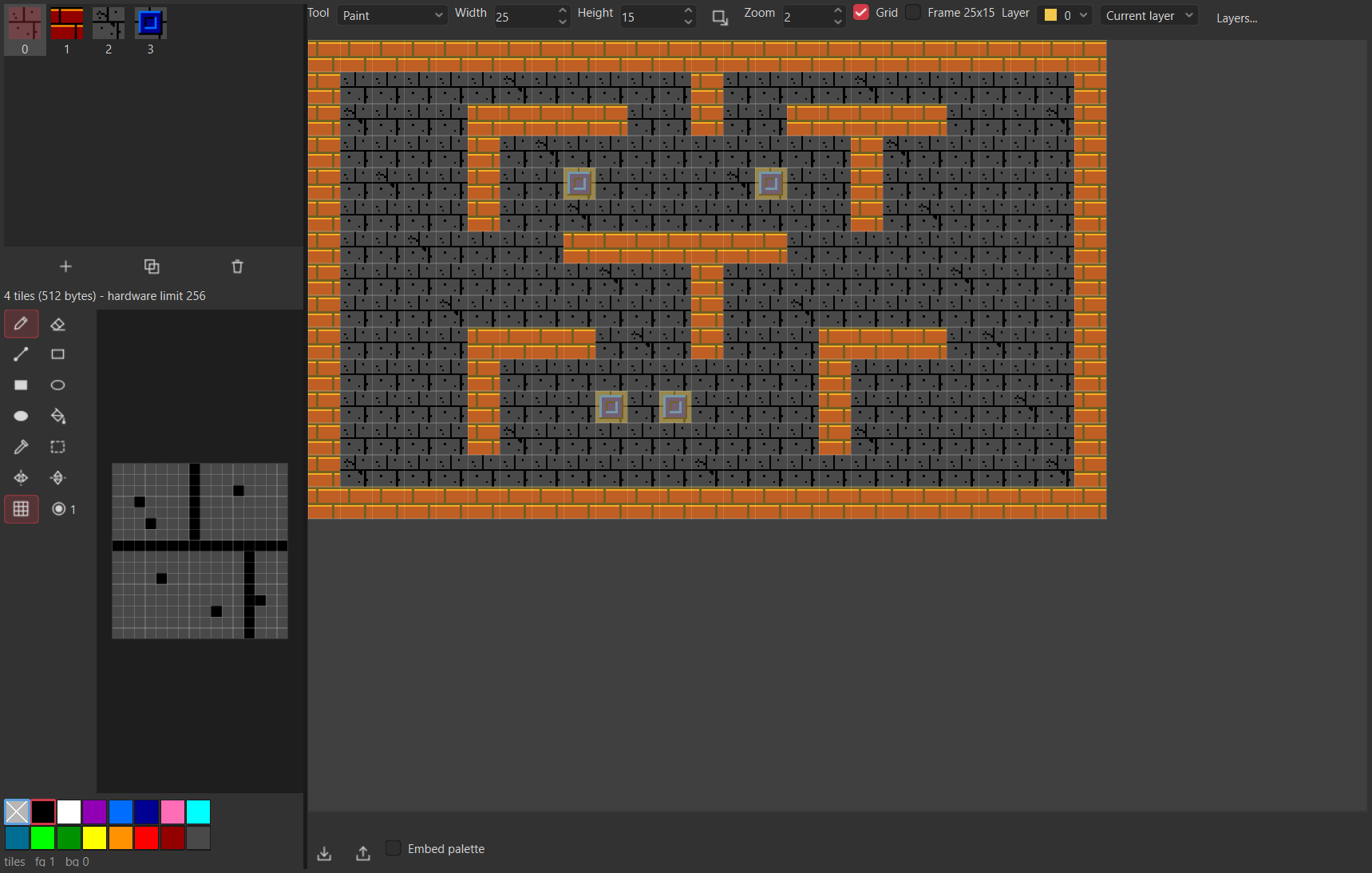
Sprite, tile and map, bitmap, sound and screen editors, and an image converter, each saving the exact file format the Micro-8 reads. The bitmap editor works with layers and draws icons. An Assets panel lists every file a program uses, or every file of its folder, says what each holds, shows a small picture of it and opens it in its editor.
Made for the Micro-8, useful for other consoles and projects. Micro-8 Studio is dedicated to the Micro-8, and its tools do not stop there:

  • Music. The tracker exports WAV, WAV stems, MIDI, note events (JSON, CSV) or a VGM of its FM tracks, with a guide to port a song to another system.
  • Image converter. Pictures export as PNG, GIF, TGA, PCX, ICO, Amiga IFF, C64 Koala, ZX Spectrum, or tiles for the NES, Game Boy, SNES, Mega Drive and Master System, with the warning of what is lost.
  • Sprites and maps. Sprites export as a PNG sheet with its JSON atlas (the TexturePacker and Aseprite format) or cut for Unity; maps as text, CSV, Tiled JSON or a C header. Sheets and maps from Aseprite, Unity, Godot and Tiled come in.
  • Icons and pixel art. The Paint tool has layers, imports pictures onto them, and reads and writes ICO in the official sizes (16, 24, 32, 48, 64, 128, 256, and 512 as PNG), PNG, GIF, TGA, PCX and IFF.
  • Code. The editor also opens Python, C, C++, assembly, JSON and text files. Only the test runner and the debugger are for Lofi programs alone.
04

The hardware underneath

Micro-8 Studio targets a real machine, not a specification on paper. These are its own numbers, from micro-8.com.

CPUAtmel ATmega128 8-bit MCU at 15.34 MHz, Harvard architecture
Memory4 KiB internal SRAM, 256 KiB external SRAM (64 KiB visible at a time)
Custom chip"MAGIC" FPGA: memory, audio, graphics and interface controllers
Video800x480 (WVGA) at 60 Hz, simultaneous analog (VGA) and digital outputs
GraphicsText, bitmap, 16x16 tile and 32 hardware sprite (24x21) layers, 16-entry palettes from 512 colours
FM soundGenuine Yamaha YM2612 (Sega Mega Drive / Genesis chip), 6 voices
Digital synthSubtractive synth in the FPGA: waveforms, DPCM drum kit, resonant filter, envelopes, LFOs, 2 voices
I/OMIDI IN/OUT, 2 serial game controller ports, PS/2 mouse, 8-bit user port, micro-SD (FAT32)
SoftwareBuilt-in OS and Lofi compiler, sprite, tile and sound editors on the console itself

To learn more about the Micro-8, follow its development or buy one, go to the website of its designer, Franck Sauer: www.micro-8.com.

05

In the window

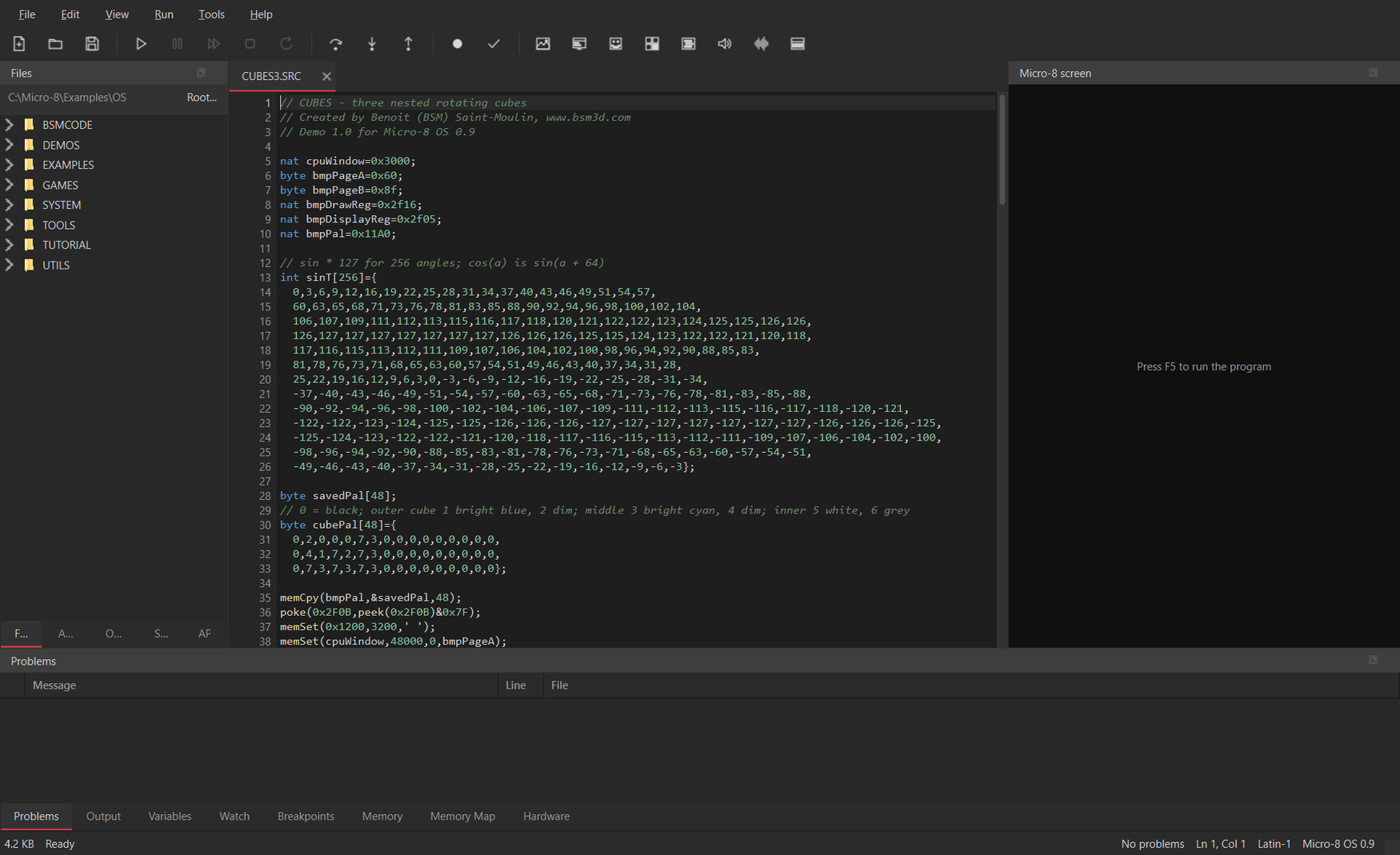
Micro-8 Studio's main window, with the code editor, the Files panel and the Micro-8's screen

Write, with the machine watching

The code editor, the Files panel for the SD card, and the Micro-8's own screen sit in one window, so a change in the source and its effect on screen are never more than a Run away.

Errors are caught before the program runs where possible: unknown names, wrong argument counts, type mismatches against the console's own API.

A tracker that plays what the hardware plays

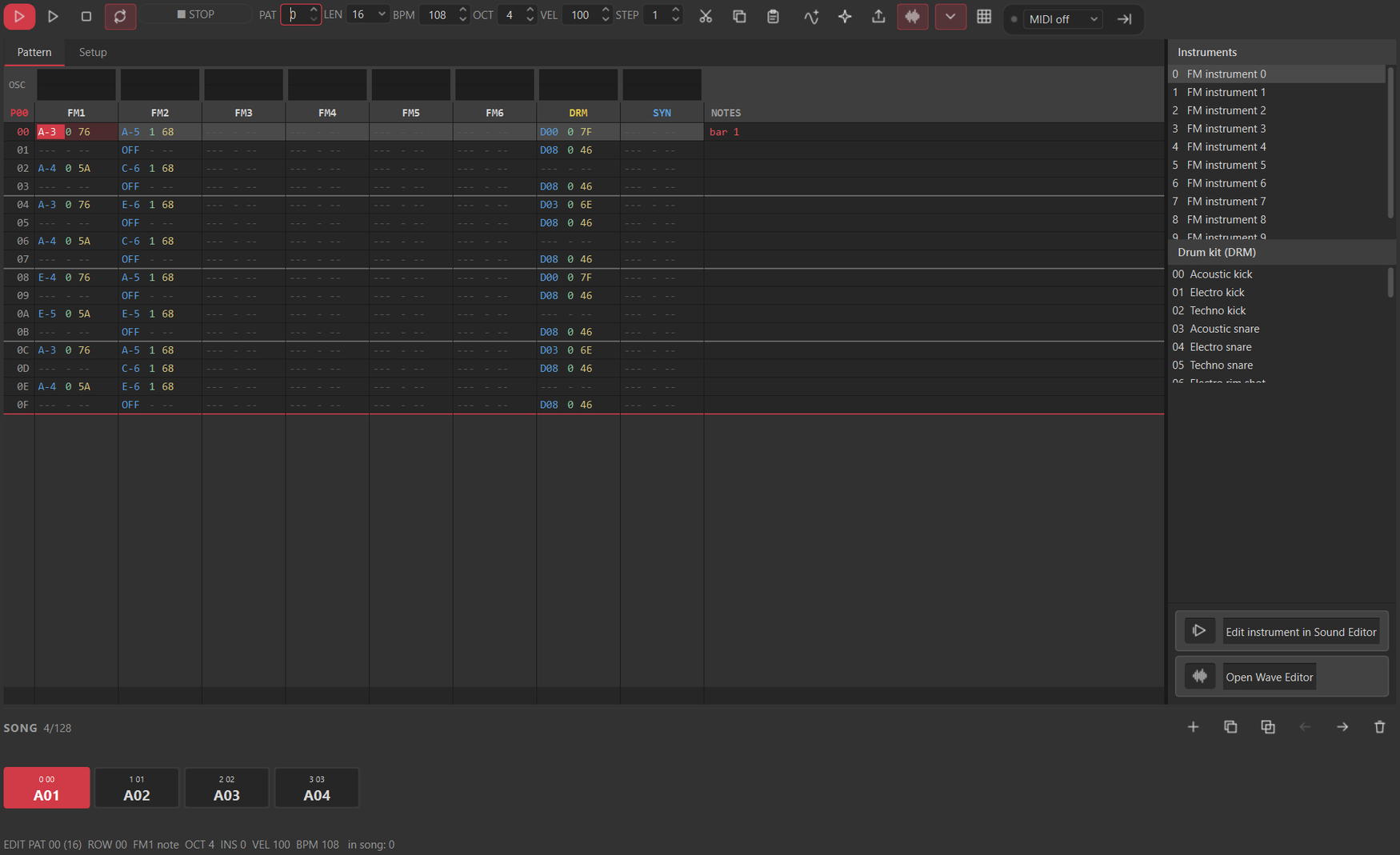
Patterns are written against the console's real FM instruments, so a song previewed in Studio sounds the way it will on the Micro-8 itself.

Studio adds preview-only effects, arpeggio, retrigger, cut, probability, vibrato, tremolo and glide, to audition ideas quickly; what gets exported is always plain notes and instruments the firmware understands.

The music tracker, with a pattern, FM instruments and preview effects
06

Free to use

The compiled Micro-8 Studio is free to download and to use, on Windows.

Micro-8 Studio

Version 1.3.0, Windows 64-bit.
Installer (Setup.exe)
Portable ZIP
All releases

Demos and games

Open them in Studio and press Run.
Demos (Plinko, Lorenz, Copper, 3D stars...)
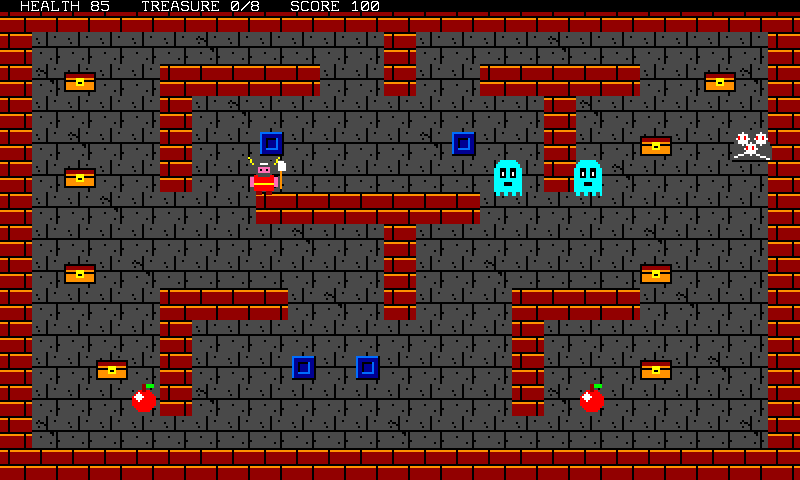
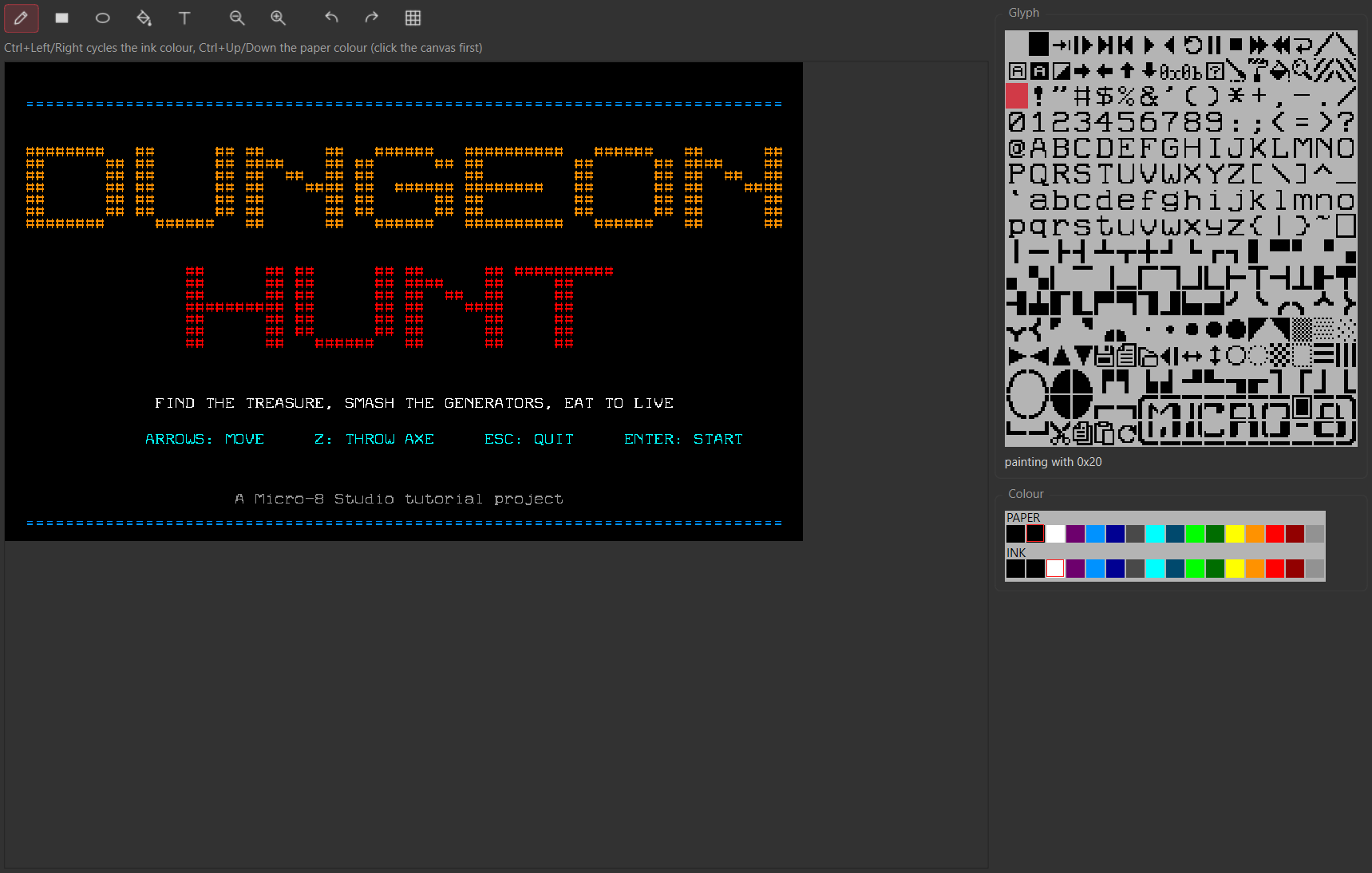
Dungeon Hunt (tutorial game)
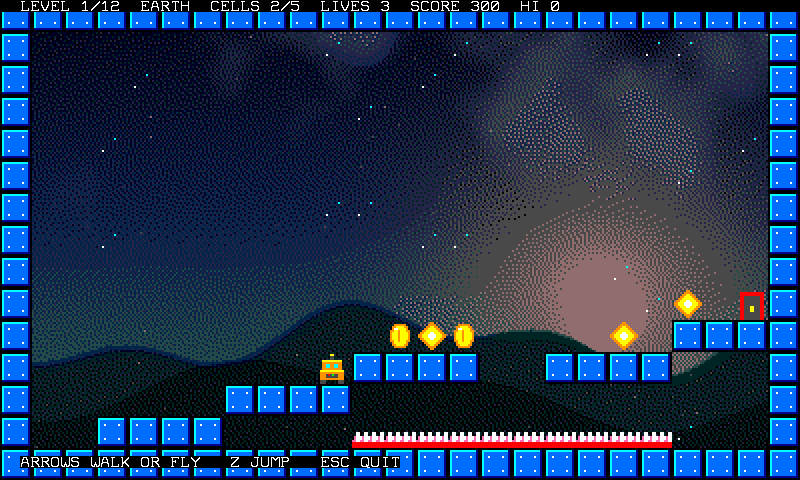
Gravity (platform game)

Two ways to run it

A Windows 64-bit installer that needs no admin rights, or a portable ZIP you unzip and run: both carry the same program, no Python or other dependency required.

One open-source piece

Exact YM2612 emulation is provided by Nuked-OPN2 (LGPL 2.1, © Nuke.YKT), the one part of the project that is open source and credited as such.

The console is not mine

The Micro-8 is designed by and is the property of Franck Sauer. This project targets it and documents it; it does not build or sell the hardware.

© Benoit Saint-Moulin. All rights reserved on the Micro-8 Studio source code, Nuked-OPN2 excepted.

07

Read this once

  • Windows only, for now. Micro-8 Studio ships as a 64-bit Windows installer and a portable ZIP. No macOS or Linux build exists today.
  • OS 0.9 only. This build targets the console's current OS 0.9 firmware. A console still running OS 0.8 needs the older v1.0.0 release instead: the two are not interchangeable, and a program compiled for one is not guaranteed to run under the other.
  • The hardware is real. Studio's test runner follows its rules closely, but it is not the console: test on the actual console before you rely on a program for a show or a release.
  • No warranty. Provided as is. Keep your own backups of anything you build.