GRAVITY: a platform game in twelve levels
The second tutorial, after DUNGEON HUNT. It builds a complete platform game, with the physics and entity blocks of the Micro-8 library, twelve rooms in five worlds, bricks, secrets, drones, lives, a high score, music and sound effects, and tests it with a robot that plays it. The finished game ships with Studio in Examples/OS/BSMCODE/GRAVITY.
Micro-8 Studio, tutorial 2. It follows DUNGEON HUNT (chapter 5 of the Studio manual) and uses the same tools: the sprite editor, the tile and map editor with its layers, the screen designer, the tracker and the Micro-8 library (section 9.8 of the manual). If you have never made a project, do the first four steps of DUNGEON HUNT first.
1. What you will make
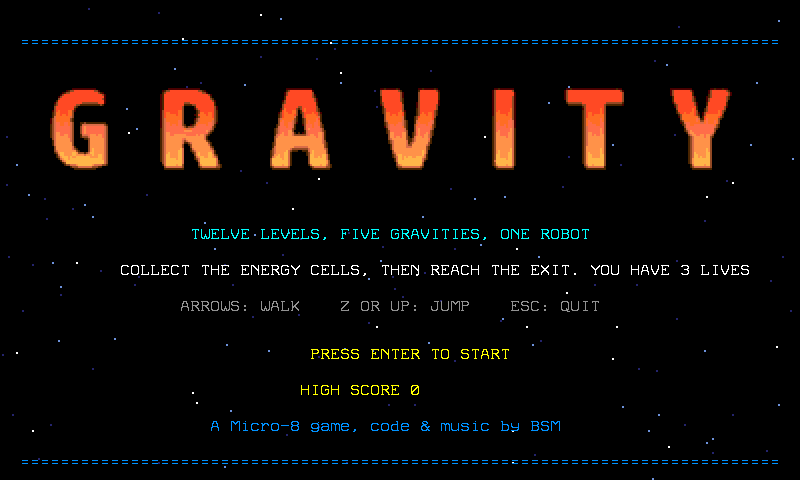
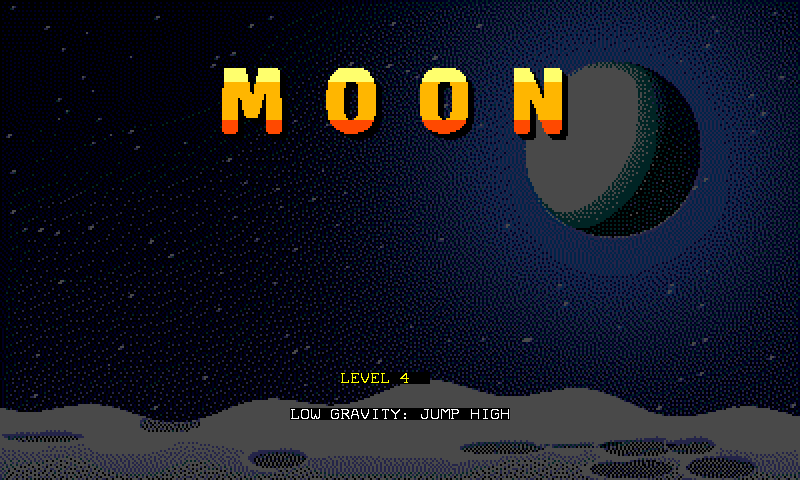
GRAVITY is a game of twelve rooms in five worlds. A small robot must take every energy cell of a room, then walk into the exit, which opens when the last cell is gone. It has three lives, a score and a high score that the game keeps. What changes from one world to the next is the world: how hard things fall, how high a jump goes, how fast the robot runs and how well it stops. The same physics block serves the earth, the moon, a heavy world, ice, a storm that changes the world every six seconds and, in the last two rooms, space, with no gravity at all and drones that patrol. A screen with a picture of the place comes before the first room of each world, and the same picture is behind its rooms. On the way the robot breaks bricks with its head, finds hidden blocks, takes coins and hearts and uses teleporters.

| Key | What it does |
|---|---|
| Left, Right | walk (on ice: push; in space: fly, with Up and Down too) |
| Z or Up | jump (from under a brick: break it) |
| Enter | start, skip a screen, and start again after the end |
| Esc | quit |
The finished game is in Examples/OS/BSMCODE/GRAVITY/, every file next to the program:
| File | What it is |
|---|---|
GRAVITY.SRC |
the program, about 16 KB of code, with the library blocks it needs |
GRAVITY.SPR, GRAVITY.PLA |
the sprites: the robot walking, jumping and hit, the drone, and their palette |
GRAVITY.TLS, GRAVITY.PAL |
the 19 tiles: sky, star, steel block, energy cell, spikes, the exit shut and open, a spring, a brick, a hidden block, a used block, a coin, a heart, a teleporter and where it lands, two boxes, a brick with a cell, a hidden block with a heart |
GRAVITY1.LVL to GRAVITY12.LVL |
the twelve rooms, 25 x 15 tiles each |
GRAVITY1.LAY to GRAVITY12.LAY |
the layers of each room: what is solid, where the cells, spikes, exit, start, springs and drones are |
GRAVITY.ENT |
the entity table (manual section 9.11): the drone |
GRAVITY.SCR |
the text over the title picture |
GRAVITY.BMP, GRAVITYW.BMP, GRAVITYO.BMP, GRAVITYB.PAL |
the title, the end and the game over pictures (400 x 240, 16 colours) and their palette |
GRAVB1.BMP to GRAVB6.BMP, GRAVW1.BMP to GRAVW6.BMP, with a .PAL each |
the picture of each place, behind the rooms and, brighter and with its name, on the screen before them |
GRAVITY.M8S |
the music |
GRAVITY.HI |
the high score, written by the game itself when a game ends (it is not in the folder until then) |
Copy that folder into a folder of your own (a Studio project, manual section 9.9) and follow the steps. Each step gives a program you can run with F5, then shows the part of the finished game that does the same job and explains it. The finished source is GRAVITY.SRC; the pieces quoted here are its own lines.
2. The idea: four numbers make a world
The Micro-8 library has a phys block (manual section 9.8): a sprite is a body with a position and a speed, and physStep moves it one frame under gravity, stops it at walls, and tells whether it stands on something. Everything that makes a world is in a few numbers:
| Number | What it does |
|---|---|
physGrav |
how much a fall speeds up each frame |
physDrag |
how much a walking speed fades each frame, in sixteenths (0 on ice) |
| the speed of a jump | what you give physJump (the speed the robot leaves the ground with) |
| the push and the top speed | what the arrows add each frame, and where it stops adding |
Positions and speeds are in sixteenths of a pixel, and a tile is 32 pixels. These are the five numbers of the first four worlds, and what they make of a jump (the fifth world comes in step 10):
| World | physGrav |
physDrag |
jump | push | top speed | height of a jump | speed |
|---|---|---|---|---|---|---|---|
| EARTH | 6 | 2 | 88 | 6 | 40 | 37.6 px, 1.2 tiles | 2.5 px a frame |
| MOON | 2 | 1 | 88 | 6 | 40 | 118.2 px, 3.7 tiles | 2.5 px a frame |
| HEAVY | 14 | 6 | 140 | 10 | 26 | 39.4 px, 1.2 tiles | 1.6 px a frame |
| ICE | 6 | 0 | 88 | 8 | 64 | 37.6 px, 1.2 tiles | 4 px a frame |
A spring throws the robot up at speed 156: 121.9 pixels, 3.8 tiles.
That table is also the design rule of the rooms. A room is a puzzle between what the world allows and what the room asks. On earth, in the heavy world and on ice a step may be one tile high, no more. On the moon platforms can be three tiles apart. A spring reaches three tiles. On ice a pit of two tiles can be crossed because you are fast, and you cannot stop before it because there is no drag.
3. Step 1: a robot that falls
Create ROBOT.SRC next to the assets and insert the library blocks it names with Edit > Insert Micro-8 Library (or type the //@insert line as it is; Studio expands it, manual section 9.8):
// GRAVITY, step 1: a robot falls into room 1
//@insert pal,sprites,tiles,level,layer,phys

byte level[379];

loadPal("GRAVITY.PAL",0x1170);
loadPal("GRAVITY.PLA",0x11D0);
loadTiles("GRAVITY.TLS",0);
loadSprites("GRAVITY.SPR",0);
loadLevel("GRAVITY1.LVL",&level,379);
layLoad("GRAVITY1.LAY");
areaCpy(&level+4,25,0,0,25,15,0x2B00,32,0,0);
poke(0x2F00,0b00011100);
memSet(0x1200,3200,' ');
memSet(0x1E80,3200,0x02);
physBox(12,10,24,24);
physPlace(0,200,100);
sprRef(0,0);
while(_keyDwn!=12) {
    physStep(0,1);
    vSync();
    sprUpdt();
}
Run it. The robot falls into room 1 and lands on the floor. Six things happen here:
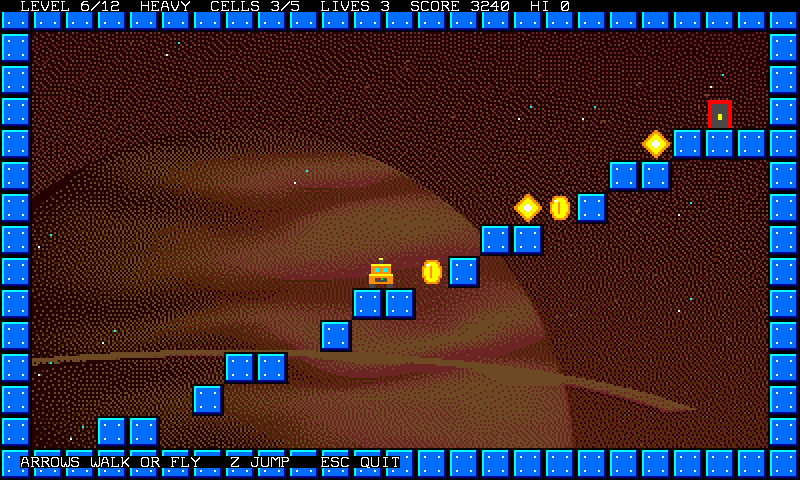
loadPal,loadTiles,loadSpritesandloadLevelread the assets (the blocks of the library do the file work).layLoadreads the layers of the room.physStep(0,1)moves body 0 (sprite 0) and stops it at the cells of layer 0 (the mask1): the blocks.areaCpycopies the room into the tile buffer, which is what the screen shows: 25 tiles of 32 pixels is the 800 pixels of the screen.0b00011100switches the text, tile and sprite layers on and the bitmap off.physBox(12,10,24,24)is the box of the robot that hits walls: the 12 x 12 pixels of the middle of its 24 x 21 sprite, doubled on the screen. The sprite has more drawing than body, so it slips under a ledge without catching its antenna.vSyncwaits for the next frame,sprUpdtshows what you set: the robot moves once a frame.
4. Step 2: walk and jump
Add the pad block and two lines to the loop:
// GRAVITY, step 2: the arrows walk, Z jumps (earth)
//@insert pal,sprites,tiles,level,pad,layer,phys

byte level[379];

loadPal("GRAVITY.PAL",0x1170);
loadPal("GRAVITY.PLA",0x11D0);
loadTiles("GRAVITY.TLS",0);
loadSprites("GRAVITY.SPR",0);
loadLevel("GRAVITY1.LVL",&level,379);
layLoad("GRAVITY1.LAY");
areaCpy(&level+4,25,0,0,25,15,0x2B00,32,0,0);
poke(0x2F00,0b00011100);
memSet(0x1200,3200,' ');
memSet(0x1E80,3200,0x02);
physBox(12,10,24,24);
physGrav=6;
physDrag=2;
physPlace(0,72,400);
while(_keyDwn!=12) {
    padRead();
    int vx=physVx[0];
    if(padDown(0b01000000)) vx-=6;
    if(padDown(0b10000000)) vx+=6;
    if(vx>40) vx=40;
    if(vx<-40) vx=-40;
    physVx[0]=vx;
    if(padHit(0b00000001)) physJump(0,88);
    physStep(0,1);
    if(physGnd[0]) sprRef(0,0);
    else sprRef(0,2);
    vSync();
    sprUpdt();
}
Walk, jump on the steps of room 1. padRead reads the pad once a frame; padDown says a button is held, padHit that it was pressed this very frame (a jump should happen once, not every frame you hold). The pad is the keyboard: Left and Right are the arrows, button A is Z, Start is Enter. The buttons are bits: A 1, B 2, Start 4, Select 8, Up 16, Down 32, Left 64, Right 128.
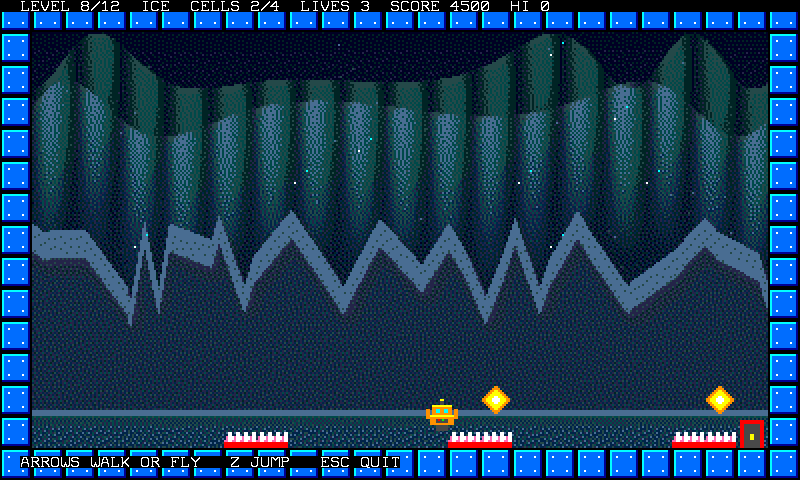
The arrows do not set the speed: they push it (vx-=6), and the drag of the world pulls it back, so the robot takes a moment to start and a moment to stop. physGnd[0] is true when the robot stands on something: the jump works from the ground only, and the picture shows the jumping robot (image 2) in the air.
5. Step 3: the rooms and their layers
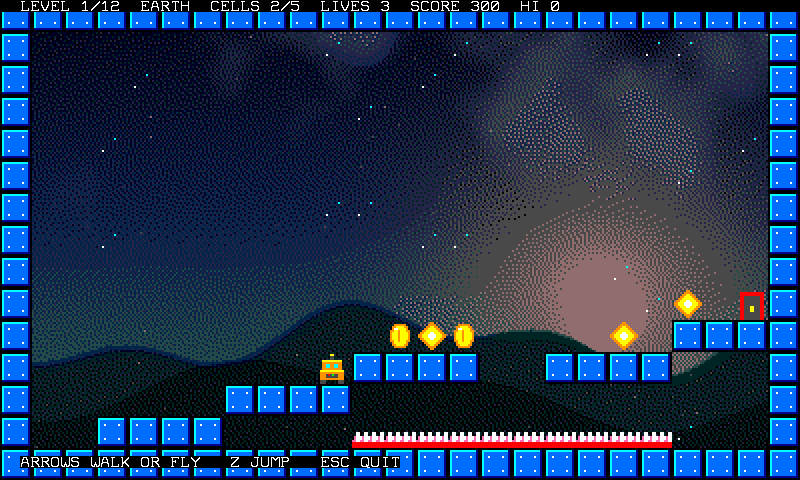
A room is a map of tiles (what you see) and a .LAY file (what the program knows). Room 1:
#########################
#.......................#
#.......................#
#.......................#
#.......................#
#.......................#
#.......................#
#.......................#
#.......................#
#....................c.E#
#...........oco....c.####
#......ooc.####..####...#
#....c.####.............#
#S.####....^^^^^^^^^^...#
#########################
# is a block, . is empty sky, c an energy cell, o a coin, ^ spikes, E the exit, S where the robot starts. The tiles are what you see; what the program knows comes from the layers of the .LAY file next to the map (manual section 9.2), one bit each:
| Layer | Mask | What is there | What the program does with it |
|---|---|---|---|
| 0 | 1 | solid blocks, bricks, boxes and springs | physStep(0,1) stops the robot at them |
| 1 | 2 | energy cells | counted, and taken when the robot's middle is on one |
| 2 | 4 | spikes | the robot dies when its feet are in them |
| 3 | 8 | the exit | touched when no cell is left |
| 4 | 16 | where the robot starts | one cell, no picture |
| 5 | 32 | springs | a spring under the feet throws the robot up |
| 6 | 64 | turn | no picture: a drone turns round there (step 10) |
| 7 | 128 | drone | no picture: where a drone starts (step 10) |
You paint tiles in the map editor and let Generate layer from tiles fill layer 0 from the tiles that are blocks; the other layers you paint by hand, or write with a small script like dev/make_gravity.py, which describes a room in one line (room(plats=[(13, 3, 6), (12, 7, 10)], cells=[(5, 12)], spikes=[(11, 20, 13)], exit=(23, 9), start=(1, 13))) and writes the twelve rooms with Studio's own editors.
The twelve rooms:
| Room | World | Cells | What is special |
|---|---|---|---|
| 1 | EARTH | 5 | steps one tile high, then a gap of two tiles to jump, spikes under it |
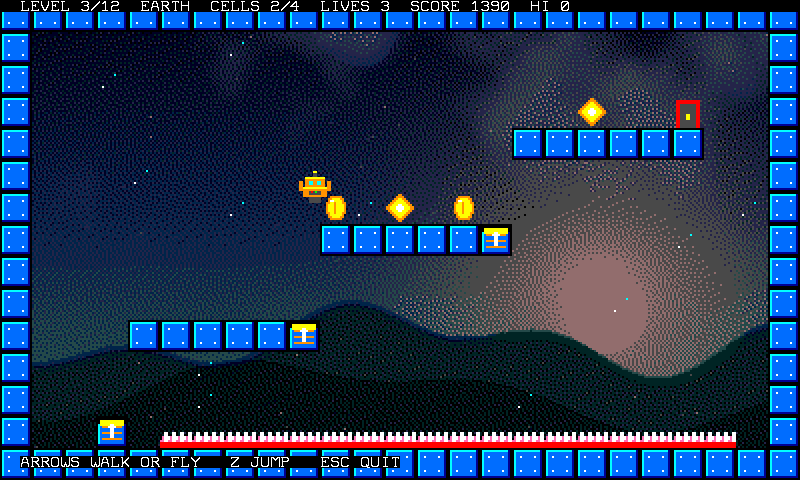
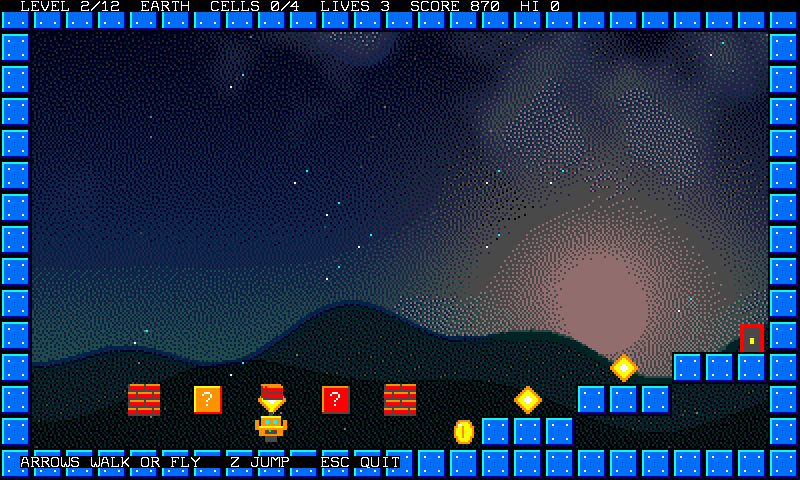
| 2 | EARTH | 4 | bricks over the floor: a box with a coin, a box with a heart, two bricks that hide a cell |
| 3 | EARTH | 4 | springs: floor to platform, platform to platform |
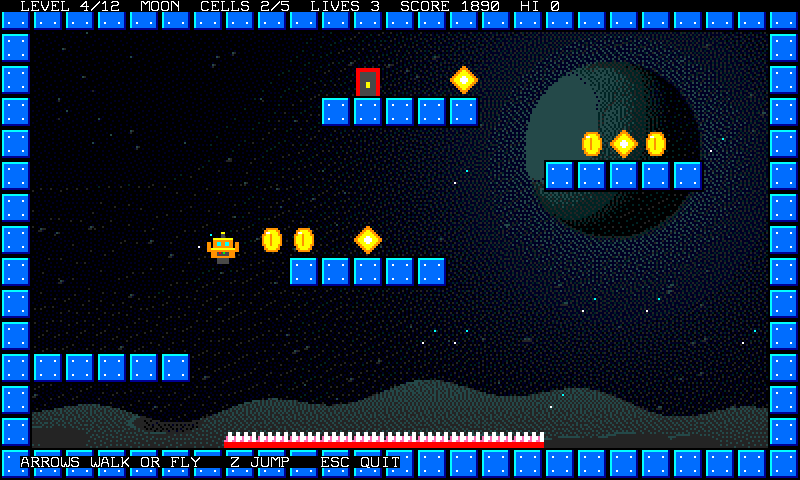
| 4 | MOON | 5 | a jump of 3.7 tiles: platforms three tiles apart, spikes where you fall |
| 5 | MOON | 5 | the same, the other way round; a teleporter on the floor, a nook only it reaches, a hidden heart |
| 6 | HEAVY | 5 | a staircase of nine steps, climbed slowly |
| 7 | HEAVY | 4 | three bricks that hide a cell each, a box with a coin, a box with a heart, then four steps |
| 8 | ICE | 4 | three pits of spikes, and the robot cannot stop |
| 9 | ICE | 4 | wider pits, two boxes on the flat parts |
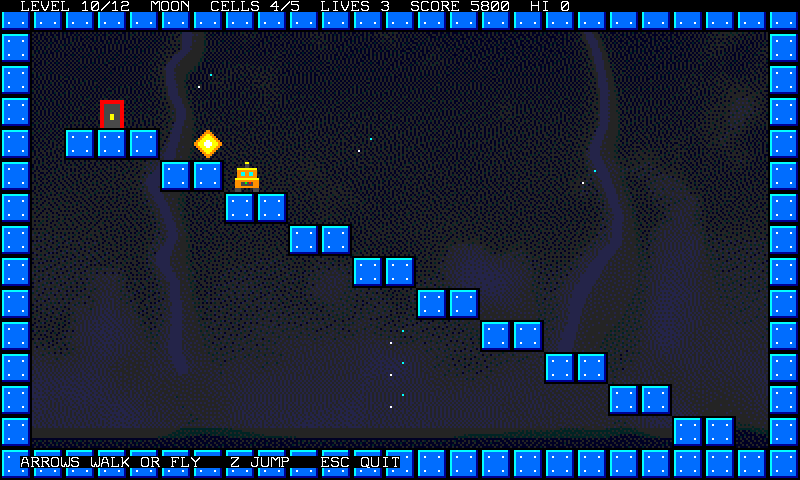
| 10 | STORM | 5 | a staircase, and the world changes every six seconds |
| 11 | SPACE | 6 | no gravity: the robot flies between three lanes of drones |
| 12 | SPACE | 6 | the same lanes, and a teleporter that crosses them |
6. Step 4: energy cells and the exit
When a room starts, the program finds its cells once and keeps them in arrays:
    cellsAll=layCount(2);
    cells=cellsAll;
    for(int i=0;i<8;i++) cellOn[i]=false;
    for(int i=0;i<cellsAll&&i<8;i++) {
        int c=layFind(2,i);
        cellX[i]=(c%25)*32+16;
        cellY[i]=(c/25)*32+16;
        cellOn[i]=true;
    }
    int s=layFind(16,0);
    startX=layX(s);
    startY=layY(s);
layCount(2) counts the cells of layer 1 (mask 2), layFind(2,i) gives the number of the i-th one (row * 25 + column) and layX, layY turn a cell number into the position that puts a sprite on it. Why keep them instead of asking layFind every frame? layFind runs along the 375 cells of the room each time; the machine is a small one, and a frame has little time. Find once, compare a few numbers each frame.
Each frame the program asks which cell the middle of the robot is on. The second half of collect (coins, hearts, teleporters) is step 12; here only the first half matters:
// the cells the robot's middle is on (one inside a brick shows only when the brick is gone), then a coin, a heart or a teleporter
void collect() {
    int rx=physX[0]/16-48+24;
    int ry=physY[0]/16-42+22;
    for(int i=0;i<cellsAll&&i<8;i++) {
        if(cellOn[i]&&abs(rx-cellX[i])<24&&abs(ry-cellY[i])<24&&tileAt(cellX[i]/32,cellY[i]/32)==3) {
            cellOn[i]=false;
            cells--;
            setTile(cellX[i]/32,cellY[i]/32,0);
            sfxPlay(84,4);
            score+=50;
            showHud();
            if(cells==0) {                                         // the exit opens when the last cell is taken: its tile changes
                int e=layFind(8,0);
                if(e>=0) poke(0x2B00+(nat)((e/25)*32+e%25),6);
                sfxPlay(88,12);
            }
        }
    }
    int col=rx/32;
    int row=ry/32;
    int t=tileAt(col,row);
    if(t==11) {
        setTile(col,row,0);
        sfxPlay(90,5);
        addScore(100);
    } else if(t==12) {
        setTile(col,row,0);
        addLife();
    } else if(t==13) {
        setTile(col,row,0);
        physPlace(0,destX,destY);
        sfxPlay(100,10);
    }
}
physX[0]/16 is the sprite position, minus 48 and 42 (the border of the screen) and plus the middle of the box gives a point of the screen. A cell is taken when that point is less than 24 pixels from its centre in both directions, and its tile is erased with setTile, which writes in the room's memory and in the tile buffer (address 0x2B00 plus 32 bytes a row). A cell is worth 50 points. tileAt(..)==3 asks that the cell be really there: a cell that sits inside a brick is on layer 1 from the start, and counts only when the brick is gone (step 12). When the last one is gone, the exit changes its tile, in the five lines inside collect:
            if(cells==0) {                                         // the exit opens when the last cell is taken: its tile changes
                int e=layFind(8,0);
                if(e>=0) poke(0x2B00+(nat)((e/25)*32+e%25),6);
                sfxPlay(88,12);
            }
Tile 5 is the shut door, tile 6 the open one; the layer does not change, so touching the exit counts only when cells==0.
7. Step 5: spikes
Spikes fill the lower half of their tile, and a cell of a layer is a whole tile: so the program looks at the feet, not the box.
// spikes fill the lower half of their cell: the feet must be down there
bool onSpikes() {
    int fy=physY[0]/16-42+physOy+physH-1;
    int x0=physX[0]/16-48+physOx+4;
    int x1=x0+physW-9;
    if(fy%32<16) return false;
    return (layCell(x0/32,fy/32)&4)!=0||(layCell(x1/32,fy/32)&4)!=0;
}
fy is the row of pixels under the feet. If it is in the upper half of its tile (fy%32<16) the robot is jumping over the spikes and is safe. Otherwise two points a little inside the body (x0 and x1, a robot narrower than its box) must be on a tile that has layer 2. When it fails, the robot dies:
// a life less: back to the start of the room, or the end of the game with the last one
void die() {
    lives--;
    sfxPlay(36,22);
    sprRef(0,3);
    physVx[0]=0;
    physVy[0]=0;
    if(lives<=0) stGo(OVER);
    else stGo(DEAD);
    showHud();
}
A death costs a life: the picture of the robot is the hit one (image 3), and after 40 frames it is back at the start of the room, with the cells it already took and the bricks it already broke. With the last life the state is OVER and the game ends (step 12).
8. Step 6: the worlds
The worlds are five short tables, one number each (SPACE, the fifth value, comes in step 10). The names of the five worlds come first; lvWorld says which world each of the twelve rooms starts in:
text wName[5]={"EARTH","MOON","HEAVY","ICE","SPACE"};
// the five worlds: gravity, drag, the speed of a jump, how hard the arrows push, the top speed
int wGrav[5]={6,2,14,6,0};
int wDrag[5]={2,1,6,0,3};
int wJump[5]={88,88,140,88,0};
int wAcc[5]={6,6,10,8,5};
int wMax[5]={40,40,26,64,32};
byte lvWorld[12]={0,0,0,1,1,2,2,3,3,0,4,4};   // the world each room starts in (room 10 changes it every six seconds)
and one function that puts a world in the physics block:
void setWorld() {
    physGrav=wGrav[world];
    physDrag=wDrag[world];
    physBounce=0;
}
The arrows, the jump and the picture are in moveRobot, which reads the tables with the current world. Two things in it belong to later steps: bump(vb) after physStep is the head of the robot against a brick (step 12), and the last line, which plays a small step every eight frames while the robot walks, is explained with the sounds (step 8):
// the arrows push, Z jumps, a spring throws the robot up, and the picture follows what the robot does
void moveRobot() {
    int vx=physVx[0];
    if(padDown(0b01000000)) {
        vx-=wAcc[world];
        faceLeft=true;
    }
    if(padDown(0b10000000)) {
        vx+=wAcc[world];
        faceLeft=false;
    }
    if(vx>wMax[world]) vx=wMax[world];
    if(vx<-wMax[world]) vx=-wMax[world];
    physVx[0]=vx;
    if(padHit(0b00010001)) {
        if(physJump(0,wJump[world])) sfxPlay(70,3);
    }
    int vb=physVy[0];
    physStep(0,1);
    bump(vb);
    if(physGnd[0]&&layBox(physX[0]/16,physY[0]/16+1,physOx,physOy,physW,physH,32)) {         // a spring under the feet
        physVy[0]=-156;
        physGnd[0]=false;
        sfxPlay(76,6);
    }
    byte ref=0;
    if(!physGnd[0]) ref=2;
    else if(physVx[0]>8||physVx[0]<-8) ref=(byte)((frame>>2)&1);
    sprRef(0,ref);
    sprFlip(0,faceLeft,false);
    if(physGnd[0]&&world!=3&&(physVx[0]>12||physVx[0]<-12)&&(frame&7)==0&&sfxLeft==0) sfxPlay(44+((frame>>3)&1)*4,2);      // a small step, left then right
}
Play with the numbers, it is the best way to see what they do. Set wGrav[0]=1 and the earth becomes a moon. Set wDrag[3]=4 and the ice grips. Set wJump[2]=88 and the heavy world cannot climb its own stairs: the jump is 14.6 pixels, under half a tile. That is why it has the strongest jump, and why its stairs are one tile high and not more.
9. Step 7: springs and the storm
A spring is a block of layer 0 that is also on layer 5. In moveRobot above, the lines after physStep look under the feet:
    if(physGnd[0]&&layBox(physX[0]/16,physY[0]/16+1,physOx,physOy,physW,physH,32)) {         // a spring under the feet
        physVy[0]=-156;
        physGnd[0]=false;
        sfxPlay(76,6);
layBox asks whether a box placed one pixel lower would touch a cell of the layers of the mask (32 is layer 5). If the robot stands on a spring, its speed is set to -156 (up) and it is no longer on the ground: three and a half tiles of flight, the height of the next platform. The rooms are drawn for that number: a platform is three tiles above its spring, with its edge right beside it, so that the robot rises along that edge and then steps over.
Room 10 has no new rule, only a clock, in play:
    if(lv==9) {                                      // in room 10 the world changes every six seconds
        stormT--;
        if(stormT<=0) {
            world=(world+1)%4;
            setWorld();
            stormT=360;
            showHud();
            sfxPlay(40,10);
        }
Every 360 frames the world is the next one and the physics block gets its new numbers. The robot keeps its speed: a run that began on earth goes on over the moon.
10. Step 8: title, music and sound
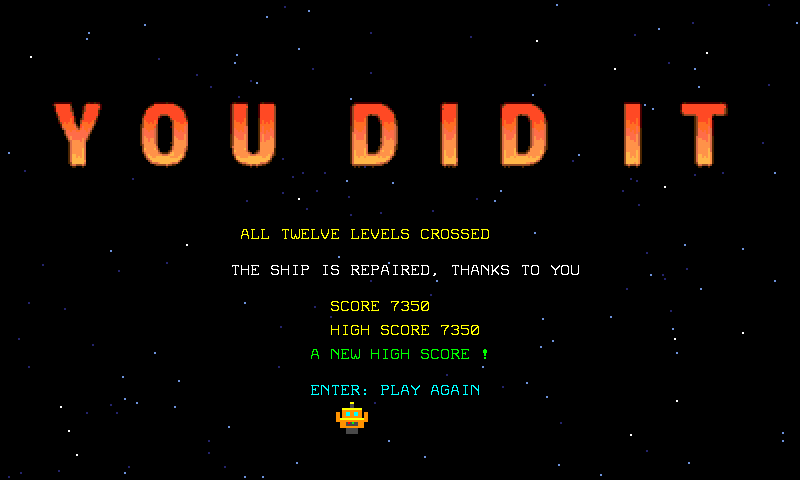
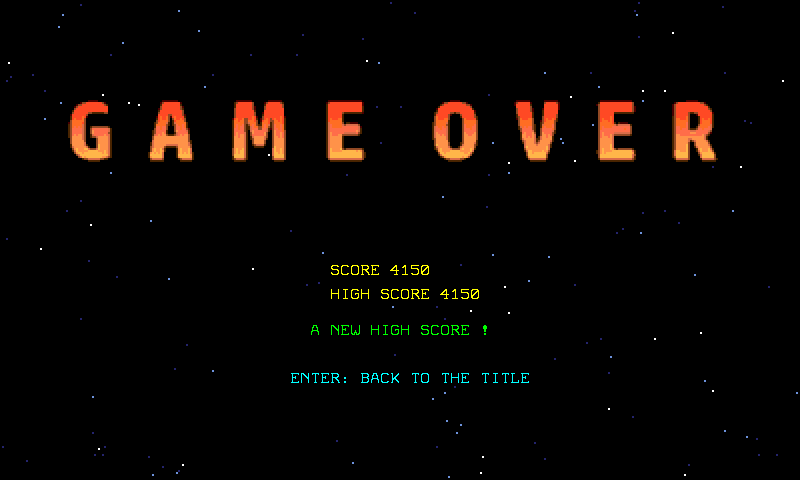
The title is a picture with some text over it. The picture is a bitmap (400 x 240 pixels, 16 colours, GRAVITY.BMP): the word GRAVITY is set in the flame font of the FONTS folder of the BSM demos (an atlas of letters with its description file, read by dev/bmfont.py) over a starfield, and the flame's gradient is cut into the colours that the 16-colour palette (GRAVITYB.PAL, loaded at 0x11A0, the palette of the bitmap) has left. The end screen, YOU DID IT, is made the same way (GRAVITYW.BMP). The text over the title is a .SCR of the Screen designer (manual section 9.7) with a transparent background. The game over screen, GAME OVER (GRAVITYO.BMP), is made the same way, with the same palette. The program loads the three and switches on the bitmap and the text layers, and nothing else (0b00010001). The last line shows the high score:
void showTitle() {
    hideSprites();
    memSet(0x2B00,512,0);
    loadPal("GRAVITYB.PAL",0x11A0);                // the palette of the bitmap
    loadBitmap("GRAVITY.BMP");                    // the word GRAVITY, in the flame font, over stars
    loadScreen("GRAVITY.SCR");                    // the text over it
    poke(0x2F00,0b00010001);                       // text and bitmap on, tiles and sprites off
    hudNum(30,32,"HIGH SCORE ",hi);
}
The music is a project of the Tracker (manual section 9.6): eight bars in D minor, a bass on FM 1 (the root, then the fifth, with the octave off the beat), a lead on FM 2 (an arpeggio that climbs in the first four bars and comes down in the next four) and a drum track with the DPCM kit. The library's song block plays it:
songLoad("GRAVITY");                              // GRAVITY.M8S: the name without its extension
songStart();
Write songLoad("GRAVITY"), not "GRAVITY.M8S": the block adds the extension itself, and a name that does not match fails without a word (the function returns false and the game is silent). songTick() plays the rows that are due and must be called every frame; the tune loops by itself.
The sound effects go to FM voice 5, which a tune of fewer than six tracks leaves free (the sfx block). sfxPlay(note,frames) plays a MIDI note for some frames and sfxTick() ends it:
| Event | sfxPlay |
|
|---|---|---|
| jump | (70,3) |
a short blip |
| spring | (76,6) |
a little higher, a little longer |
| energy cell | (84,4) |
high and short |
| the exit opens | (88,12) |
high, longer |
| room complete | (96,14) |
the highest |
| world changes | (40,10) |
low |
| death | (36,22) |
the lowest, the longest |
| a drone destroyed | (92,6) |
high, short |
| a brick breaks | (60,4) |
low, short |
| a coin, a box | (90,5) |
high, short |
| a heart | (98,10) |
higher, a little longer |
| a teleporter | (100,10) |
the highest |
The robot also makes a small step while it walks: every eight frames, on the ground, when it goes faster than a crawl (and never on ice, where it slides), the game plays a note of 2 frames, 44 then 48, a left foot and a right foot. The last line of moveRobot does it, and it asks sfxLeft==0 first, so that a step never cuts a jump or a coin: the sound effects share one voice.
11. Step 9: the states of the game
Seven kinds of moment: the title, the screen before a world (INTRO), the play, the short pause when a room is done, the short pause after a death, the end of a won game (WIN) and the end of a lost one (OVER). The state block keeps the number and the frames it has lasted:
void play() {
    if(lv==9) {                                      // in room 10 the world changes every six seconds
        stormT--;
        if(stormT<=0) {
            world=(world+1)%4;
            setWorld();
            stormT=360;
            showHud();
            sfxPlay(40,10);
        }
    }
    if(world==4) flyRobot();
    else moveRobot();
    collect();
    entitiesUpdate();
    droneContact();
    if(!stIs(PLAY)) return;
    if(onSpikes()) die();
    else if(cells==0&&physTouch(0,8)) {
        stGo(CLEAR);
        hudPrint(29,19,0x1C,"  ROOM COMPLETE  ");
        sfxPlay(96,14);
        addScore(100);
    }
}
physTouch(0,8) asks whether the robot touches a cell of layer 3, the exit; with cells==0 that ends the room, for 100 points. The main loop is the same each frame, and the state tells what to do with it. debrisTick moves the pieces of a broken brick whatever the state is:
while(_keyDwn!=12) {                             // until ESC
    padRead();
    songTick();
    sfxTick();
    stTick();
    debrisTick();
    if(stIs(PLAY)) play();
    else if(stIs(CLEAR)) {
        if(stAge>90) {
            lv++;
            if(lv>=12) {
                stGo(WIN);
                showWin();
            } else enterRoom();
        }
    } else if(stIs(DEAD)) {
        if(stAge>40) {
            spawn();
            stGo(PLAY);
        }
    } else if(stIs(INTRO)) {
        if(stAge>150||(stAge>25&&padHit(0b00001101))) {
            startRoom();
            stGo(PLAY);
        }
    } else if(stIs(OVER)) {
        if(stAge==45) showOver();
        if(stAge>100&&padHit(0b00001101)) {
            stGo(TITLE);
            showTitle();
        }
    } else {                                     // the title and the end: Enter
        if(padHit(0b00001101)) {
            if(stIs(WIN)) {
                stGo(TITLE);
                showTitle();
            } else {
                lv=0;
                lives=3;
                score=0;
                enterRoom();
            }
        }
    }
    vSync();
    sprUpdt();
    frame++;
}
stAge counts the frames of the state: 90 frames (a second and a half) after a room is done the next one starts (enterRoom, step 12); 40 after a death the robot is back; a screen before a world lasts 150 frames, or until a button after the first 25; the game over picture comes 45 frames after the last death, and its text waits for Enter after 100. The title and the end screens wait for Enter or Z: the code takes any of A (bit 1), Start (bit 4) and Select (bit 8), because the keyboard of Studio sends Enter on one of the last two.
12. Step 10: drones and a world without gravity
A game that only walks lacks two things: something that moves by itself, and a world where the rules go. Both come straight from the manual.
Drones. The entity table (manual section 9.11) writes the code of a kind of thing from one row of a table. GRAVITY.ENT has one row, the drone:
| Name | First sprite | Sprites | Image | Frames | Every | Kind | Speed | Walls | Hits | Box x,y,w,h | Place on layer | Face |
|---|---|---|---|---|---|---|---|---|---|---|---|---|
| drone | 1 | 4 | 4 | 2 | 8 | walker | 2 | 65 | 1 | 12,10,24,24 | none | no |
It owns sprites 1 to 4, so four drones at most, and the images 4 and 5 of GRAVITY.SPR (the blades flat, then up, every 8 frames). A walker flies in a straight line, here at 2 pixels a frame, and turns round when its box meets a wall. Walls is a sum of masks: 65 is 1 (layer 0, the blocks) plus 64 (layer 6), so a drone turns round at a block and at a cell of layer 6, a cell with no picture that you paint where a patrol must end. Layer 7 (128) marks where a drone starts. Studio writes droneSpawn, droneUpdate, droneHit, droneTouch, droneClear and entitiesUpdate between two marker lines of the program (//@entities begin GRAVITY.ENT); dev/make_gravity.py does what the button Generate into the program does, with the same module. The program only calls them. When a room starts, and again each time the robot comes back after a death, spawn puts the robot back at its start and the drones on their cells:
// the robot goes back to the start of the room, whole, and the drones to theirs: one on each cell of layer 7, flying to the right until a
// wall or a turn cell (layer 6) sends them back
void spawn() {
    physPlace(0,startX,startY);
    sprRef(0,0);
    faceLeft=false;
    droneClear();
    for(int k=0;k<4;k++) {
        int c=layFind(128,k);
        if(c>=0) droneSpawn(layX(c),layY(c),1,0);
    }
}
Each frame play moves the drones with entitiesUpdate() and looks at what they touch:
// a drone destroyed from above (the robot bounces off it); anywhere else it hits
void droneContact() {
    int d=droneTouch(0);
    if(d<0) return;
    if(physVy[0]>0&&physY[0]/16+34<entY[d]+24) {
        droneHit(d);
        physVy[0]=-90;
        physGnd[0]=false;
        sfxPlay(92,6);
        addScore(200);
    } else die();
}
droneTouch(0) is the first drone that touches sprite 0, the robot. A robot that comes down on a drone, with its feet above the middle of it, destroys it (droneHit takes its one hit), bounces off and gets 200 points; anywhere else the drone hits, and the robot loses a life. The play of step 9 is where all of it comes together.
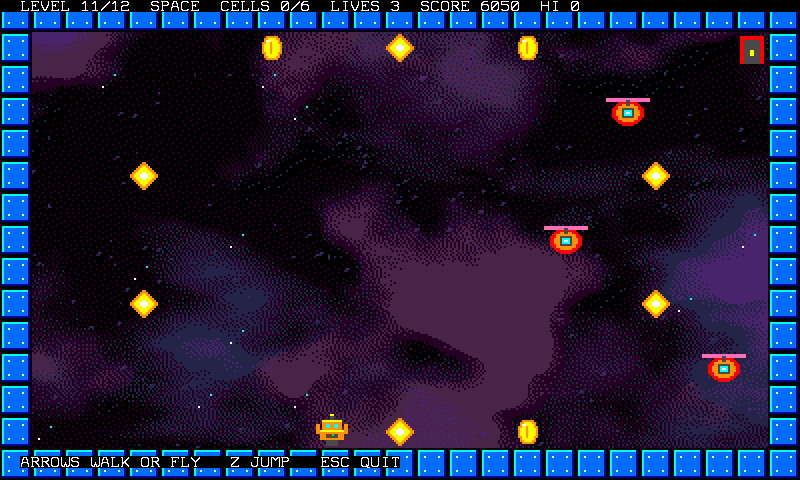
A world without gravity. Rooms 11 and 12 are a fifth world, SPACE: physGrav is 0, which the manual calls a top-down game. The five tables of step 6 hold a fifth value each, and lvWorld says rooms 11 and 12 start in it; this is the fifth world:
| World | physGrav |
physDrag |
jump | push | top speed | height of a jump | speed |
|---|---|---|---|---|---|---|---|
| SPACE | 0 | 3 | 0 | 5 | 32 | 0.0 px, 0.0 tiles | 2 px a frame |
With no gravity there is no ground, so a jump has no meaning (its speed is 0) and the arrows push in the four directions. The physics block fades the sideways speed with physDrag, not the up and down speed, so flyRobot fades that one by hand:
// no gravity in space: the four arrows push, and the robot drifts to a stop (the library fades the sideways speed, the up and down is faded here)
void flyRobot() {
    int vx=physVx[0];
    int vy=physVy[0];
    if(padDown(0b01000000)) {
        vx-=wAcc[world];
        faceLeft=true;
    }
    if(padDown(0b10000000)) {
        vx+=wAcc[world];
        faceLeft=false;
    }
    if(padDown(0b00010000)) vy-=wAcc[world];
    if(padDown(0b00100000)) vy+=wAcc[world];
    if(vy!=0) {
        int d=abs(vy)*wDrag[world]/16;
        if(d<1) d=1;
        if(vy>0) vy-=d;
        else vy+=d;
    }
    if(vx>wMax[world]) vx=wMax[world];
    if(vx<-wMax[world]) vx=-wMax[world];
    if(vy>wMax[world]) vy=wMax[world];
    if(vy<-wMax[world]) vy=-wMax[world];
    physVx[0]=vx;
    physVy[0]=vy;
    physStep(0,1);
    sprRef(0,2);
    sprFlip(0,faceLeft,false);
}
Each of the two rooms is three lanes, one drone on each (rows 3, 7 and 11), and the six cells are in the rows between them (room 11) or on the bottom and top rows and in one gap (room 12). A drone patrols the whole width: it turns round at the walls of the room, and a lane is about 350 frames from one wall to the other. The robot is 24 pixels high and a drone too, so the rows between the lanes are safe: the whole difficulty is to cross a lane when its drone is far away.
The bot of the next step does it that way: sideways first, in the row where it is, then up or down into a lane only when that lane's drone is more than 240 pixels away; once in a lane it goes through.
13. Step 11: test it like a pro
A platform game is easy to make impossible: a step half a tile too high, a pit one tile too wide. The tests of this project do not trust a drawing. tests/gravity_game_test.py runs the game on the emulator and plays it with a bot (dev/gravity_bot.py): the bot writes the pad register like Studio's keyboard does, sees the robot through the sprite registers, the rooms through the .LAY files and the counters through the text screen, and does not read a single variable of the game. For each room it has a short route: walk to a place, jump when something blocks it or when it would fall, stand under a brick within three pixels and jump, ride a spring, or (in space) fly to a cell, crossing a lane only when its drone is far, and to a teleporter. The test passes when the bot takes every cell of the twelve rooms, reaches every exit and sees the end screen, in about 9700 frames (a hundred and sixty seconds), with no death. Then it checks each rule on its own: a brick breaks and flies in four pieces, a box gives its coin and a heart gives a life, a hidden block shows up when the head hits it, a teleporter sends the robot to the other end of the room, a robot that never jumps loses a life on the spikes of the ice room and the last life ends the game with the high score kept in a file that the next title shows, a robot that flies into the lanes of room 11 is hit by a drone and one that comes down on a drone destroys it for 200 points, the music and the effects play (with the steps), and Esc gives the machine back.
When a room refuses to be solved, the bot tells you where: a route that stops at a step shows the step is too high for that world. A game that has three lives must be winnable with them: the test asks the bot to lose none at all. Change the room, run the test again. The same approach tests any game: read the screen, write the pad.
In Studio, View > Overlays (F7, manual section 7.2) draws the box of every sprite over the screen: use it to see the 24 x 24 box of the robot against the tiles, and the cells of a layer.
14. Step 12: lives, score, bricks and secrets
Game 2.0 adds a handful of rules to the game of the first eleven steps. Each one is small.
Lives and score. A game starts with three lives and a score of 0 (the main loop sets them when Enter is pressed on the title). The hud shows them with the room, the world, the cells and the high score. Points come from addScore, which also redraws the hud, and a life from addLife, which stops at nine:
void showHud() {
    hudFill(0,0,80,0x12);
    curPos(2,0);
    print("LEVEL ",lv+1,"/12  ",wName[world],"  CELLS ",cellsAll-cells,"/",cellsAll,"  LIVES ",lives,"  SCORE ",score,"  HI ",hi,"   ");
    memSet(0x1E80,80,0x12);
}

// points, and the hud shows them
void addScore(int n) {
    score+=(nat)n;
    showHud();
}

void addLife() {
    if(lives<9) lives++;
    sfxPlay(98,10);
What is worth what: a cell 50, a coin or a box 100, a brick 20, a drone destroyed 200, a room done 100. A death (step 5) takes a life; the last one puts the game in the OVER state.
The high score. At the end of a game, won or lost, finish keeps the score if it beats the high score, and writes it in GRAVITY.HI, two bytes, with the library function that saves a level (saveLevel writes any bytes):
// the end of a game: the score, and the high score if it was beaten (kept in a file)
void finish() {
    newHi=false;
    if(score>hi) {
        hi=score;
        newHi=true;
        hiBuf[0]=(byte)(hi&255);
        hiBuf[1]=(byte)(hi>>8);
        saveLevel("GRAVITY.HI",&hiBuf,2);
    }
}
setup reads the file back when the game starts (if(loadLevel("GRAVITY.HI",&hiBuf,2))): the first time there is no file, loadLevel returns false and the high score stays 0. The title, the end screen and the game over screen print it.
Bricks, boxes and hidden blocks. Six new tiles, all in the .LVL files:
| Tile | What it is | When the robot's head hits it from below |
|---|---|---|
| 8 | brick | it breaks (20 points) and flies in four pieces |
| 17 | brick with a cell | the same, and an energy cell appears in its place |
| 15 | box with a coin | 100 points, and it turns into a plain block (tile 10) |
| 16 | box with a heart | one more life, and a plain block |
| 9 | hidden block with a coin | it is not there until the head enters it: then it shows, solid, as a plain block, with 100 points |
| 18 | hidden block with a heart | the same, with one more life |
Bricks and boxes are solid: the Generate layer from tiles button puts them in layer 0 with the blocks. A hidden block is not: it is invisible and the robot goes through it, until its head is inside. The game finds out what the head hits in bump, which moveRobot calls after each step with the vertical speed from before it:
// after a step, for a robot that was going up (vb is its speed before the step): hidden blocks are not solid, so one that the head enters is
// revealed and the robot is put back under it; a solid brick or box over the head is hit
void bump(int vb) {
    if(vb>=0) return;
    int hx=physX[0]/16-48+physOx;
    int hy=physY[0]/16-42+physOy;
    int col=0;
    int r0=hy/32;
    for(int k=0;k<3;k++) {
        if(k==0) col=(hx+physW/2)/32;
        else if(k==1) col=hx/32;
        else col=(hx+physW-1)/32;
        int t=tileAt(col,r0);
        if(t==9||t==18) {
            hitBlock(col,r0,t);
            physY[0]=((r0+1)*32+42-physOy)*16;
            physVy[0]=0;
            return;
        }
    }
    if(hy<1||physVy[0]<0) return;
    if(!layBox(physX[0]/16,physY[0]/16-1,physOx,physOy,physW,physH,1)) return;
    int r=(hy-1)/32;
    for(int k=0;k<3;k++) {
        if(k==0) col=(hx+physW/2)/32;
        else if(k==1) col=hx/32;
        else col=(hx+physW-1)/32;
        int t=tileAt(col,r);
        if(t==8||t==17||t==15||t==16) {
            hitBlock(col,r,t);
            return;
        }
    }
}
Only a robot that was going up (vb<0) hits. The first loop looks at the three cells over the head (middle, left, right) for a hidden block: if the head has entered one, it is revealed and the robot is put back right under it (a robot left inside a block that has just become solid would be stuck). Then, if the robot has stopped against something solid (layBox, one pixel higher), the same three cells are looked at for a brick or a box. The work is done by hitBlock:
// a robot that goes up and hits a cell with its head: a brick breaks (a cell inside it appears), a box or a hidden block gives its prize
// and turns into a plain block
void hitBlock(int col,int row,int t) {
    if(t==8||t==17) {
        layData[4+row*25+col]=(byte)(layData[4+row*25+col]&254);     // not solid any more (layer 0)
        if(t==17) setTile(col,row,3);
        else setTile(col,row,0);
        for(int i=0;i<4;i++) {                                     // four pieces of brick fly out of the cell and fall
            dbX[i]=layX(row*25+col);
            dbY[i]=layY(row*25+col);
            dbVx[i]=i*2-3;
            dbVy[i]=-8+(i&1)*2;
            sprRef((byte)(8+i),6);
            sprPal((byte)(8+i),0);
            sprPrio((byte)(8+i),0);
        }
        dbT=26;
        sfxPlay(60,4);
        addScore(20);
    } else {
        setTile(col,row,10);
        layData[4+row*25+col]=(byte)(layData[4+row*25+col]|1);       // a hidden block becomes solid
        if(t==15||t==9) {
            sfxPlay(90,5);
            addScore(100);
        } else addLife();
    }
}
A brick is made not solid by clearing bit 0 of its cell in layData, the table that layLoad filled: the layers are plain memory, and a game may change them. A hidden block becomes solid the same way, with the bit set. setTile changes the tile in the room's memory (level) and on the screen. The four pieces are sprites 8 to 11, with image 6 of GRAVITY.SPR; debrisTick, which the main loop calls every frame, moves them and hides them after 26 frames.
To take the cell of a brick the robot jumps twice: once to break the brick and once more, through the hole, to touch the cell, which is a plain tile now. That is why collect asks for tileAt(...)==3 (step 4). It works because a brick one tile above the floor leaves 8 pixels over the robot's head, enough to walk under it, and a jump of any world that has a jump goes up through its hole as far as the middle of the cell. Rooms 2 and 7 are drawn that way, in the earth and in the heavy world.
Coins, hearts, teleporters. Tiles 11, 12 and 13 are picked up by the second half of collect, when the middle of the robot is in their cell:
    int col=rx/32;
    int row=ry/32;
    int t=tileAt(col,row);
    if(t==11) {
        setTile(col,row,0);
        sfxPlay(90,5);
        addScore(100);
    } else if(t==12) {
        setTile(col,row,0);
        addLife();
    } else if(t==13) {
        setTile(col,row,0);
        physPlace(0,destX,destY);
        sfxPlay(100,10);
A teleporter (tile 13) puts the robot at destX,destY, which startRoom found when it read the room: the cell that has tile 14, a ring where it lands (the start of the room when there is none). That is the secret passage of room 5: the teleporter is on the floor, the ring is in a nook at the top right that has no way in, with coins and a heart. In room 12 the same trick crosses the three lanes of drones.

The screens between the worlds. The rooms are grouped in places (lvZone): earth, moon, heavy, ice, storm and space. enterRoom shows a screen before the first room of each: the picture of the place, bright, with its name in the flame font, the level number and a line that says what changes. Then startRoom puts the same picture behind the room, darker (it has two more lines for that, loadPal(bgPal[z],0x11A0) and loadBitmap(bgBmp[z])):
// the first room of a place comes after its screen: its picture, its name, which level comes
void enterRoom() {
    if(lv==0||lvZone[lv]!=lvZone[lv-1]) {
        int z=lvZone[lv];
        hideSprites();
        memSet(0x2B00,512,0);
        memSet(0x1200,3200,' ');
        memSet(0x1E80,3200,0x02);
        loadPal(scPal[z],0x11A0);
        loadBitmap(scBmp[z]);
        poke(0x2F00,0b00010001);                       // text and bitmap on
        hudNum(34,31,"LEVEL ",(nat)(lv+1));
        hudPrint(zCol[z],34,0x12,zTag[z]);
        stGo(INTRO);
    } else {
        startRoom();
        stGo(PLAY);
    }
}
The layers of the screen are stacked: bitmap, tiles, sprites, text. Colour 0 of a tile is transparent, and the sky tile is colour 0, so the picture shows through wherever the room is empty, while the blocks and the items are drawn over it. Register 0x2F00 is 0b00011101 in a room (bitmap, tiles, sprites and text) and 0b00010001 on a screen (bitmap and text). The six pictures are drawn with numpy by dev/gravity_scenes.py and cut to 16 colours of 3 bits per channel; each place has its own palette, loaded at 0x11A0.
15. Where to go from here
- Another world: add a value to the five tables of step 6, a room that uses it, and a line in
lvWorldandlvZone(and a picture:dev/gravity_scenes.pydraws the six that the game has). SPACE isphysGrav=0;physBouncemakes a bouncing world (the physics block bounces any body, not only balls). - More enemies: a
chaserkind that follows the robot (entTargetX,entTargetY), or drones in the platform rooms. The bot of this project crosses lanes of drones; a platform room with drones needs a bot that waits or jumps them, and the test will tell you when it cannot. - Moving platforms and slopes: the physics block meets whole tiles only. A moving platform is a body of its own and a test of
physTouch. - More rooms: the arrays are for twelve (
lvName,layName,lvWorld,lvZone, the12in the HUD and in the loop), and the.LAYand.LVLfiles are what you draw. Keep the design rule of step 2 and let the bot tell you. - A timer (the
timerblock) that counts how long a room took, and a best time per room kept in a file next to the high score. - Your own music: open
GRAVITY.M8Sin the Tracker, change the bass, save under the same name.